Кіраванне файламі cookie, якія выкарыстоўваюцца для рэкламы, такіх як персаналізацыя рэкламы, рэмаркетынг і аналіз эфектыўнасці рэкламы.
7.2. Order storage
Notes:
- To order, your balance must have enough funds to pay for at least 1 day of service use.
- Name:
- Each storage is automatically assigned a system name of the form
storageNNNwhen ordering. - After ordering, you can set an alias for convenience — it will be displayed in the control panel instead of the system name.
- Capacity:
- Each 10 GB of capacity = 200 000 inodes.
- After ordering, you can change in either direction.
- A single account can have any number of standalone storages.
- No other services are required to order.
- Test period is not provided.
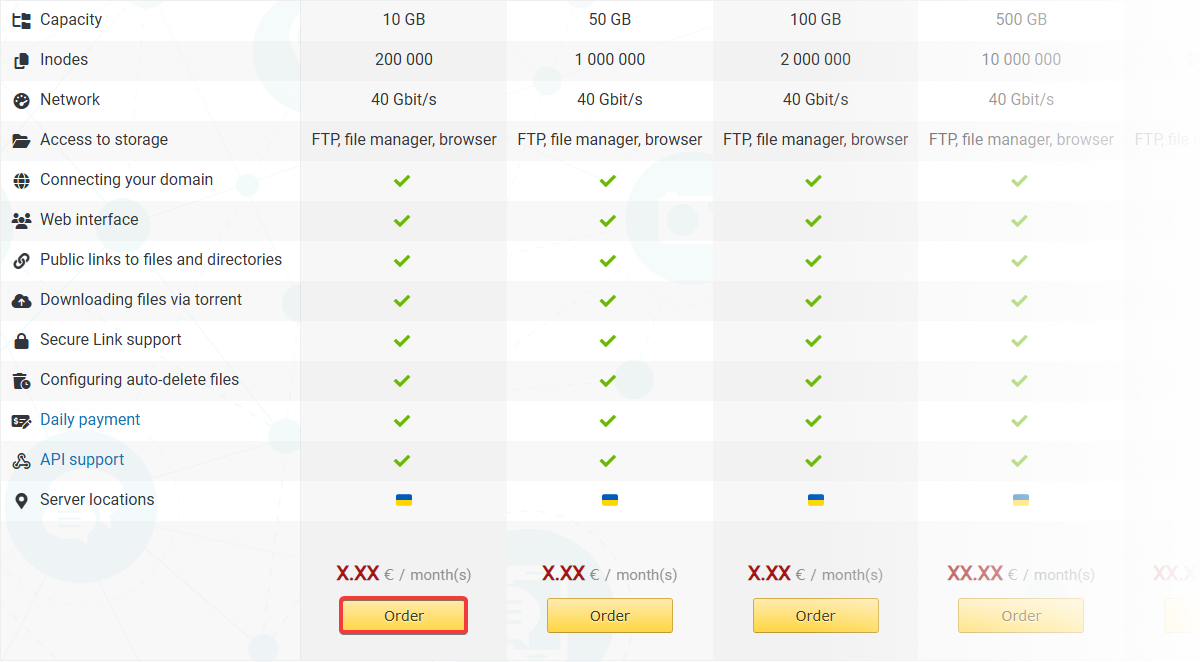
- Open the storage order page and under the desired capacity click "Order":
- Specify storage URL, select the capacity and click "Order":
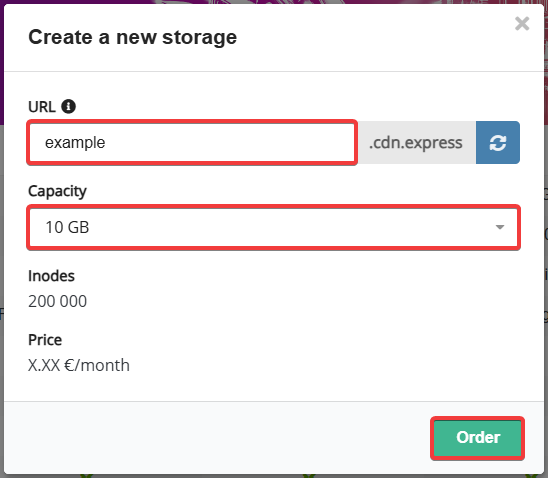
Once ordered, the storage is immediately ready for use.