Кіраванне файламі cookie, якія выкарыстоўваюцца для рэкламы, такіх як персаналізацыя рэкламы, рэмаркетынг і аналіз эфектыўнасці рэкламы.
2.15.2.5. PHP Antimalware Scanner
About scanner
View list of parameters
The list of utility parameters can be viewed using the commandamwscan -h or on GitHub.
The hosting servers have the PHP Antimalware Scanner utility installed, which allows you to check PHP files for malicious code and potential vulnerabilities. The path to the utility is: /usr/local/bin/amwscan.
Interactive mode
Launch
- Connect to the hosting via SSH.
- Execute the command (
~/example.com/www/— path to the directory to be scanned):amwscan ~/example.com/www/
Threat handling
During interactive scanning, when threats are detected, you must select one of the suggested actions: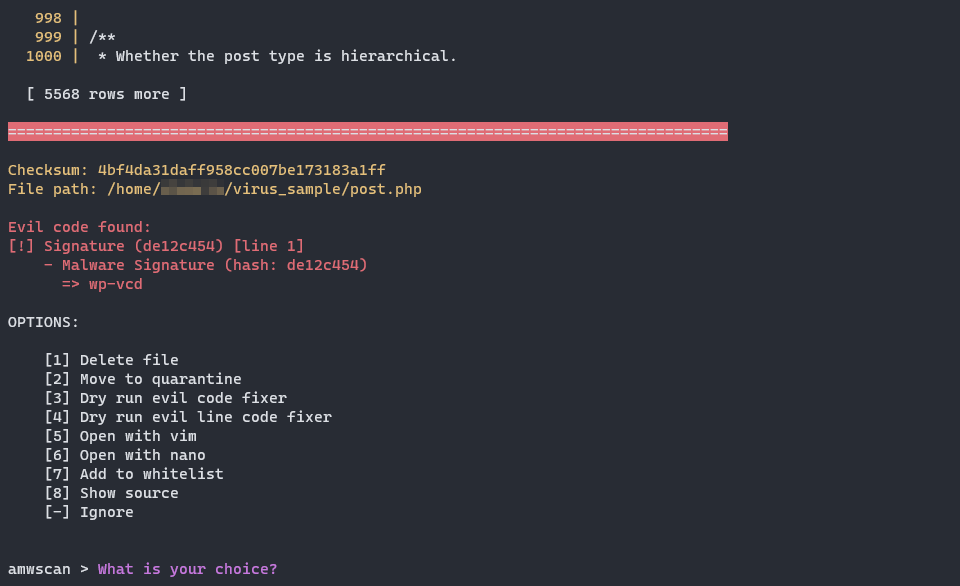
[1] Delete file— delete file.[2] Move to quarantine— move to quarantine.[3] Dry run evil code fixer— run app to remove malicious code. Not recommended[4] Dry run evil line code fixer— run app to remove dangerous code only in a potentially dangerous area. Not recommended[5] Open with vim— open file in Vim.[6] Open with nano— open file in nano.[7] Add to whitelist— add signature in this file to whitelist.[8] Show source— show source (file).[-] Ignore— skip current file.
Generate HTML report
Generate
- Connect to the hosting via SSH.
- Execute the command:
amwscan -r ~/example.com/www/In command:
-r— only scanning and report generation without making changes to files.~/example.com/www/— path to the directory to be scanned.
After completing the scan, the scanner will display the number of files scanned, the number of threats found, and the path to the generated report.
Report
The scan will generate an HTML report with information about the threats detected. The report can be downloaded and opened in any browser. The information in the report is for informational purposes only; all actions to resolve the issues must be performed manually.
Report example: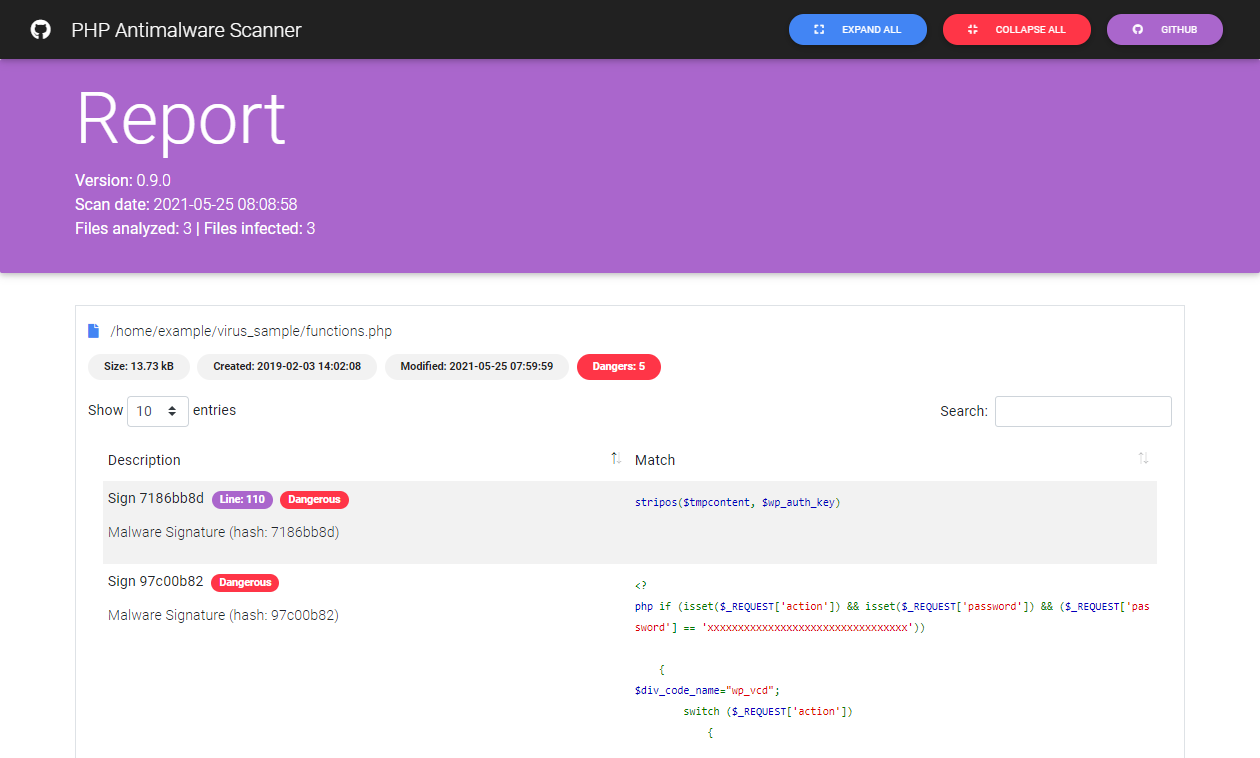
(4)