Кіраванне файламі cookie, якія выкарыстоўваюцца для рэкламы, такіх як персаналізацыя рэкламы, рэмаркетынг і аналіз эфектыўнасці рэкламы.
2.17.1.3. Check and unblock IP addresses
Find out your IP address using our tool or third-party resources such as 2ip.ua. By default, the DDoS protection page will display the IP address used to log in to the control panel.
If you encounter issues accessing your hosting account's sites, you can check whether your IP address has been blocked in the "DDoS protection" section and unblock it.
- Open the "DDoS protection" section.
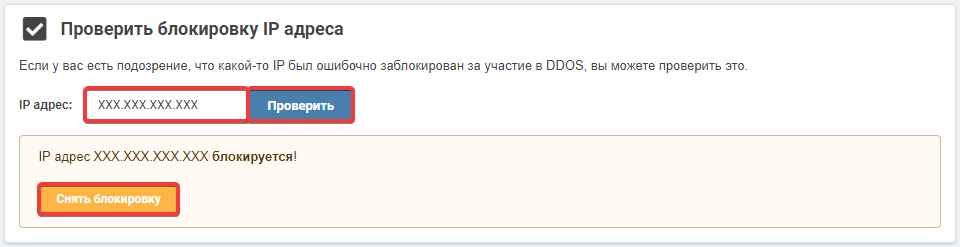
- In the "Check IP address blocking" section, enter the IP address that is causing access issues and click "Check". If the IP address is blocked by the system, a notification will appear with an unlock button:
- Wait 10-15 minutes for the changes to take effect.
(6)
Каментары