Кіраванне файламі cookie, якія выкарыстоўваюцца для рэкламы, такіх як персаналізацыя рэкламы, рэмаркетынг і аналіз эфектыўнасці рэкламы.
2.5.2.2.3.6. Show hidden files in WinSCP
By default, hidden files are displayed in WinSCP. If they are not visible, use any of the following methods:
- Or press the shortcut Ctrl+Alt+H.
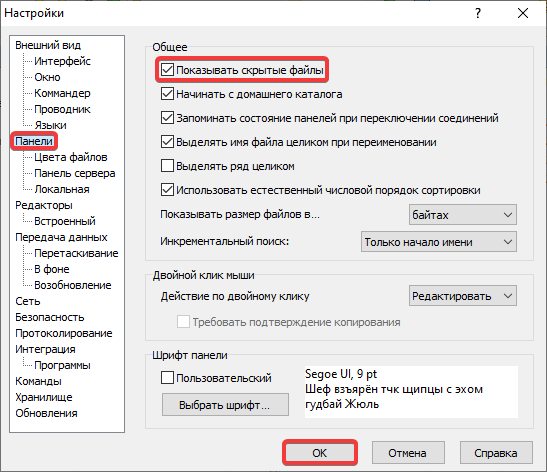
- Either open the WinSCP settings through "Options → Preferences" in the main menu or by using the shortcut Ctrl+Alt+P and in the "Panels" section enable "Show hidden files":