Кіраванне файламі cookie, якія выкарыстоўваюцца для рэкламы, такіх як персаналізацыя рэкламы, рэмаркетынг і аналіз эфектыўнасці рэкламы.
3.6.5. Verify domain and activate Gmail in Google Workspace (G Suite)
Verifiy ownership
Attention!
Domain must be served on our NS. If third-party NS are used, actions should be performed in the panel of the owner of these NS, not in ours.Automatic setup
Use presets from the "Google → Google Workspace (formerly G Suite)" group.
Manual setup
Recommended method.
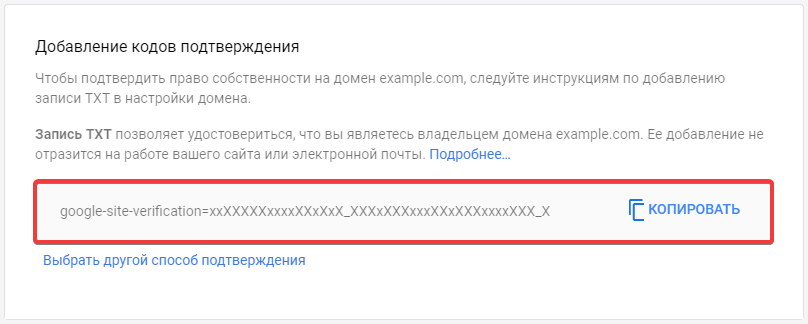
- In Google Admin console, select the verification method using TXT record creation and get the data of the generated unique TXT record:
- Add new record in the domain settings:
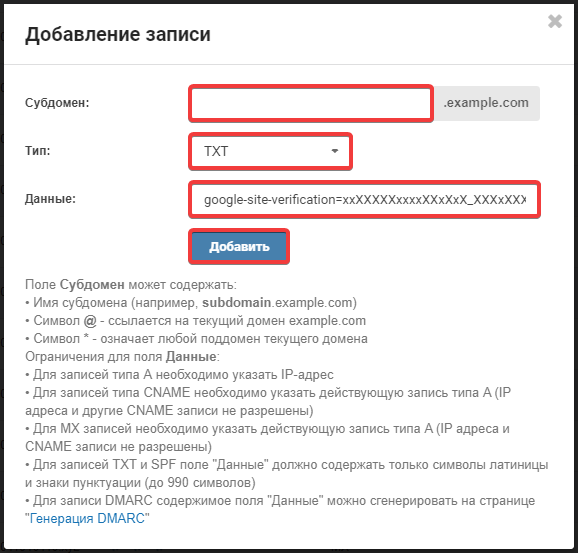
- "Subdomain" — empty.
- "Type" — "TXT".
- In Google Admin console, at the bottom of the record data page, click "Verify domain".
- Wait for the DNS cache to refresh (usually a few hours, maximum 24).
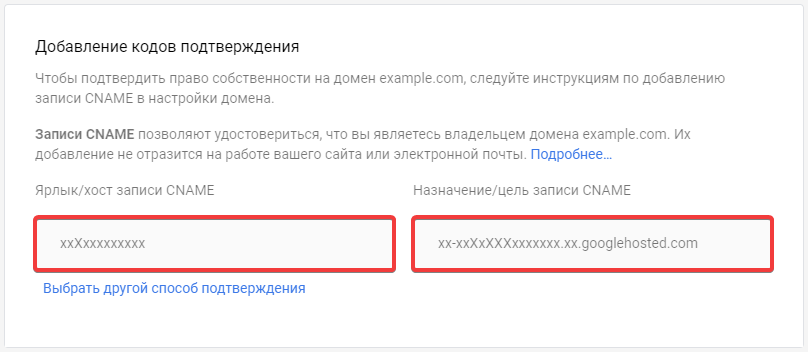
- In Google Admin console, select the verification method using CNAME record creation and get the data of the generated unique CNAME record:
- Add new record in the domain settings:
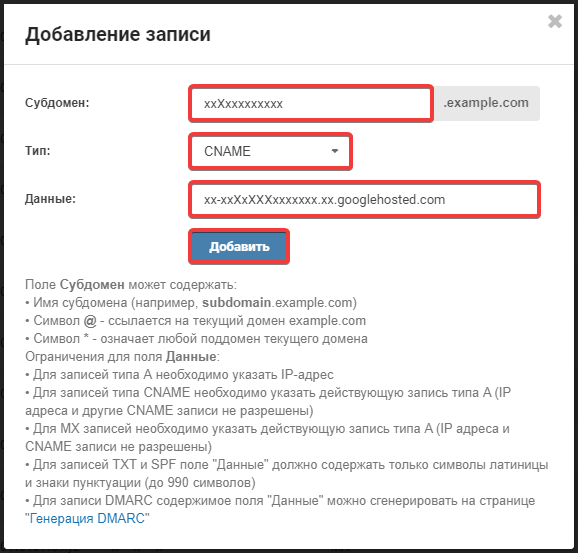
- "Subdomain" — content of the "CNAME record label/host" field of the received CNAME record.
- "Type" — "CNAME".
- "Data" — content of the "CNAME record destination/target" field of the received CNAME record.
- In Google Admin console, at the bottom of the record data page, click "Verify domain".
- Wait for the DNS cache to refresh (usually a few hours, maximum 24).
Activate Gmail
Attention!
Once Google MX records are set up, incoming mail will no longer be received by our mail servers — it will be received by Google's mail servers.- In Google Admin console, create all the necessary mailboxes for your domain.
- Set Google MX records in the domain settings.
- If ownership of the domain has not been verified, verify it:
- Or in any of the ways described above.
- Either with MX record:
- In Google Admin console, get the data of the generated unique MX record (ends with
mx-verification.google.com). - Add new record in the domain settings:
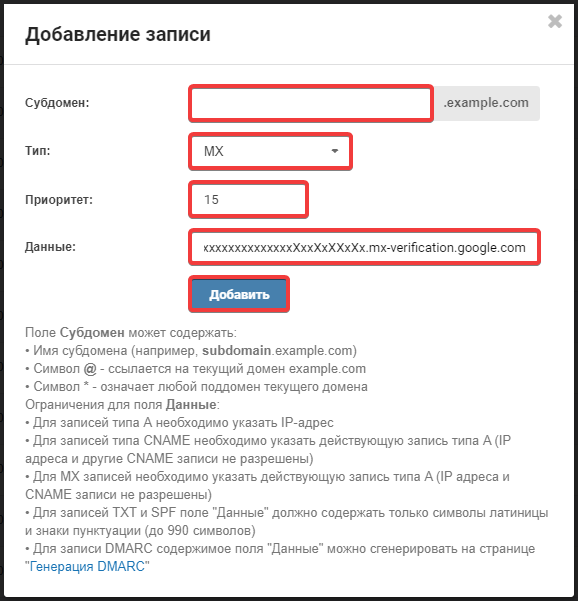
- "Subdomain" — empty.
- "Type" — "MX".
- "Priority" —
15. - "Data" — received MX record.
- Wait for the DNS cache to refresh (usually a few hours, maximum 24).
- Activate Gmail in Google Admin console.
(2)